KeyEnvy
A release script needs a token while it publishes. KeyEnvy keeps that token in the macOS login Keychain and supplies it to the command that needs it, leaving the parent shell unchanged.
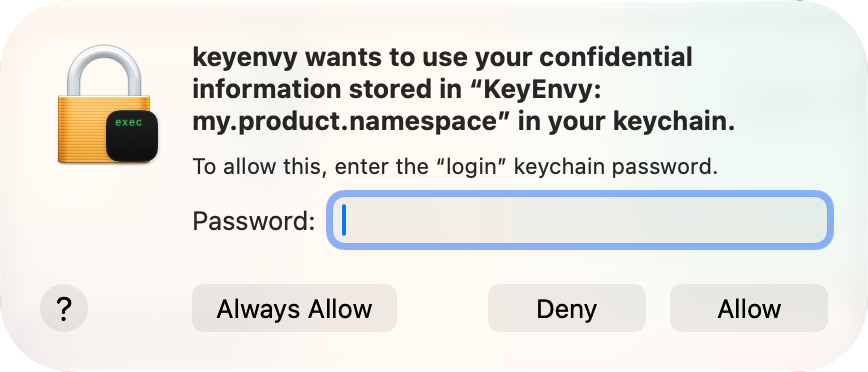
The namespace is one Keychain item. Allow approves this read; Always Allow remembers access for this KeyEnvy executable.
Store a value, then use it by name
Download the archive, unzip it, and put keyenvy on your PATH. The signed, notarized binary supports Apple silicon and Intel Macs running macOS 13 or later.
keyenvy set my.product.namespace RELEASE_TOKENThe terminal asks for the value with typing hidden. A command can then request it by name:
keyenvy run my.product.namespace RELEASE_TOKEN -- ./scripts/publishThe script and its children receive the value in their environment. KeyEnvy does not print it, so the token need not appear in an agent’s command or transcript. List more names before -- when a command needs several values.
One Keychain read for the namespace
A namespace is one Keychain item containing named values. macOS authorizes that read; KeyEnvy selects the requested values and replaces its process with the command. Signals and exit status behave as they would on a direct launch.
For a nested invocation, --no-ui uses values already inherited in the environment and never opens Keychain.